
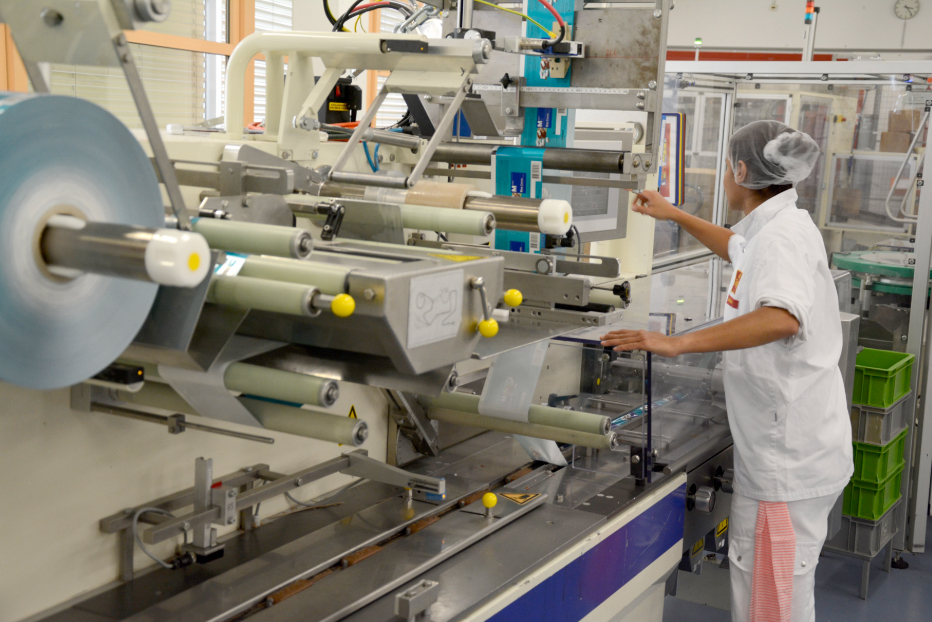
In consumer packaged goods manufacturing, coding and marking systems play a critical role in keeping production lines moving and products compliant. These systems apply essential information such as:
- Date codes
- Lot numbers
- Batch codes
- Barcodes
- QR codes
- Data Matrix codes
- Product identifiers
- Traceability information
When a marking system performs reliably, it often receives little attention. When it fails, however, the consequences can be immediate.
A clogged printhead, dirty laser lens, damaged cable, depleted consumable, or software communication issue can stop an entire packaging line. Even when production continues, poor code quality can create rejected products, retailer complaints, traceability gaps, rework, and compliance risk.
That is why preventive maintenance should be treated as a core production discipline rather than a reactive service activity.
A strong program for preventive maintenance for CPG marking systems helps manufacturers reduce unplanned downtime, maintain consistent code quality, extend equipment life, control consumable costs, and improve overall production efficiency.
This guide outlines the most important maintenance practices for industrial inkjet printers, laser marking systems, thermal transfer equipment, print-and-apply systems, and integrated code verification technology used in CPG operations.
Why Preventive Maintenance Matters
Preventive maintenance involves inspecting, cleaning, testing, and servicing equipment before a failure occurs. Instead of waiting for a coding system to stop working, manufacturers perform planned maintenance at scheduled intervals or based on actual equipment usage. This approach provides several advantages.
Reduced Unplanned Downtime
Unexpected failures are among the most expensive maintenance events. When coding equipment fails during production, the line may need to stop until the issue is resolved. This can lead to:
- Lost output
- Delayed shipments
- Overtime
- Product waste
- Emergency repair costs
Preventive maintenance helps identify developing problems before they interrupt production.
Better Print and Mark Quality
Coding equipment can continue operating while producing poor-quality marks. Common defects include:
- Missing characters
- Faded text
- Streaks
- Blurred codes
- Low contrast
- Incomplete barcodes
- Distorted 2D codes
Routine cleaning and inspection help maintain consistent quality.
Longer Equipment Life
Dust, ink residue, heat, vibration, and general wear can shorten the life of industrial equipment. Scheduled maintenance protects critical components and reduces unnecessary strain.
Improved Compliance
CPG products often require accurate and legible date, lot, and traceability information. Preventive maintenance reduces the risk that defective codes will leave the production facility.
Lower Total Cost of Ownership
Planned maintenance costs are typically easier to manage than emergency breakdowns.
By reducing component damage, production loss, and service calls, manufacturers can improve the long-term economics of their marking systems.
Build a Maintenance Schedule Around Production Conditions
Not every marking system needs the same maintenance schedule. Service frequency should reflect:
- Production hours
- Number of shifts
- Product type
- Packaging material
- Plant environment
- Equipment age
- Consumable usage
- Manufacturer recommendations
A printer operating one shift per day in a clean, temperature-controlled facility may require less frequent service than a system running continuously in a dusty, wet, or refrigerated plant. Manufacturers should consider using several scheduling methods.
Calendar-Based Maintenance
Tasks are performed daily, weekly, monthly, quarterly, or annually. This is useful for routine cleaning and inspections.
Usage-Based Maintenance
Maintenance is triggered by:
- Operating hours
- Number of prints
- Consumable cycles
- Laser source usage
- Ribbon changes
This method better reflects actual equipment use.
Condition-Based Maintenance
Maintenance is performed when equipment data indicates declining performance. Examples include:
- Increasing printhead pressure
- Repeated fault codes
- Declining barcode grades
- Rising rejection rates
- Temperature warnings
The most effective programs often combine all three approaches.
Follow Manufacturer Maintenance Recommendations
Alt text: Daily CPG marking system maintenance and code quality inspection
Equipment manufacturers provide maintenance guidance based on system design and operating characteristics. These recommendations may include:
- Cleaning intervals
- Approved cleaning materials
- Filter replacement schedules
- Lubrication requirements
- Inspection procedures
- Firmware updates
- Component replacement timelines
Ignoring recommended procedures can result in:
- Reduced print quality
- Premature wear
- Unexpected failures
- Warranty issues
- Safety risks
Maintenance instructions should be documented and available to operators and technicians.
Assign Clear Maintenance Responsibilities
One common reason maintenance tasks are missed is that responsibility is unclear. Manufacturers should define which tasks belong to:
- Line operators
- Maintenance technicians
- Production supervisors
- Quality personnel
- IT teams
- External service providers
For example, operators may handle:
- Daily cleaning
- Visual inspections
- Consumable checks
- Basic startup tests
Maintenance technicians may handle:
- Filter replacement
- Calibration
- Component replacement
- Electrical inspection
- Advanced diagnostics
Quality teams may verify:
- Code readability
- Barcode grades
- Message accuracy
- Inspection performance
Clear ownership improves consistency and accountability.
Start With Daily Visual Inspections
A quick daily inspection can prevent many avoidable problems. Operators should check for:
- Ink or fluid leaks
- Loose cables
- Damaged connectors
- Dirty printheads
- Dirty laser lenses
- Misaligned sensors
- Low consumable levels
- Unusual sounds
- Error messages
- Product buildup
Visual inspections should occur:
- Before startup
- During changeovers
- At shift changes
- After cleaning
- After maintenance
Small issues should be corrected before production begins.
Keep Printheads Clean
Printhead contamination is a common cause of poor print quality. Ink, dust, adhesive, paper fibers, moisture, grease, and product residue can accumulate around the printhead. This can lead to:
- Missing dots
- Streaks
- Distorted text
- Uneven print
- Barcode defects
- Nozzle blockage
Printheads should be cleaned using approved procedures and materials. Operators should avoid:
- Abrasive cloths
- Unapproved solvents
- Metal tools
- Excessive force
- Compressed air when prohibited
Improper cleaning can damage delicate components.
Maintain Proper Printhead Distance
The distance between the printhead and the package affects code quality. If the printhead is too far away, printed characters may become blurred or distorted. If it is too close, the product may strike the printhead and cause damage. Manufacturers should regularly inspect:
- Mounting brackets
- Conveyor guides
- Product positioning
- Printhead angle
- Sensor placement
Loose mounts or package variation can change the print distance over time. Stable product presentation is essential for consistent coding.
Inspect Mounting Hardware
Vibration is common on packaging lines. Over time, vibration can loosen:
- Brackets
- Bolts
- Clamps
- Printhead mounts
- Sensor mounts
- Cable supports
Loose hardware can cause:
- Print misalignment
- Code movement
- Sensor errors
- Mechanical damage
- Inconsistent product detection
Mounting hardware should be checked regularly and tightened to approved specifications.
Protect Cables and Connectors
Cables are often overlooked until a communication or power failure occurs. Common cable problems include:
- Cuts
- Crushing
- Tight bends
- Loose connections
- Heat exposure
- Chemical exposure
- Water intrusion
- Repeated flexing
Cable routes should be inspected for wear and strain. Manufacturers should use:
- Proper cable supports
- Strain relief
- Protective conduit
- Sealed connectors
- Suitable bend radius
Damaged cables should be replaced before they fail completely.
Manage Ink and Solvent Systems Carefully
Continuous Inkjet systems depend on properly managed ink and solvent. Maintenance should include checking:
- Ink levels
- Solvent levels
- Fluid expiration dates
- Viscosity
- Filter condition
- Fluid lines
- Leak points
- Waste containers
Only approved fluids should be used. Mixing incompatible inks or solvents can lead to:
- Poor print quality
- Clogged systems
- Chemical reactions
- Component damage
- Extended downtime
Consumables should be stored according to supplier recommendations.
Prevent Inkjet Nozzle Blockages
Nozzle blockages can disrupt print formation and cause shutdowns. To reduce risk:
- Run approved cleaning cycles
- Avoid unnecessary shutdowns
- Follow startup and shutdown procedures
- Maintain correct fluid levels
- Keep the printhead environment clean
- Use approved consumables
- Replace filters on schedule
Operators should not attempt aggressive manual cleaning unless properly trained.
Use Proper Startup and Shutdown Procedures
Improper startup and shutdown practices can create maintenance problems.
For inkjet systems, abrupt power loss may leave ink in the printhead or circulation system. For laser systems, improper shutdown can interrupt cooling or control processes. Operators should follow approved procedures for:
- Normal startup
- Normal shutdown
- Extended shutdown
- Planned plant closure
- Emergency shutdown
If equipment will remain unused for an extended period, additional cleaning or preservation procedures may be required.
Maintain Laser Marking Systems
Laser marking systems typically require fewer consumables than inkjet equipment, but they still need preventive maintenance. Key tasks include:
- Cleaning lenses
- Inspecting protective glass
- Checking extraction systems
- Inspecting cooling systems
- Reviewing laser source performance
- Checking beam delivery components
- Inspecting safety interlocks
- Verifying enclosure integrity
Laser optics should only be cleaned using approved materials and techniques. Scratches or residue can affect beam quality and marking performance.
Keep Laser Lenses and Protective Windows Clean
Dust, smoke, coating residue, and vapor can collect on optical surfaces. Contaminated optics may cause:
- Reduced mark contrast
- Incomplete codes
- Inconsistent energy delivery
- Overheating
- Lens damage
Optical surfaces should be inspected at planned intervals. Facilities with heavy smoke or particulate generation may require more frequent cleaning.
Maintain Fume Extraction Systems
Laser marking can generate smoke, dust, or vapor depending on the substrate. Extraction systems help remove these contaminants from the marking area. Maintenance should include:
- Filter inspection
- Filter replacement
- Hose inspection
- Airflow testing
- Collection unit cleaning
- Alarm testing
Poor extraction can reduce mark quality, contaminate optics, and create workplace safety concerns.
Check Cooling Systems
Some laser systems use air or liquid cooling. Cooling systems should be inspected for:
- Blocked vents
- Dirty filters
- Low fluid levels
- Leaks
- High temperature alarms
- Fan performance
Overheating can reduce equipment life and trigger unexpected shutdowns. Adequate clearance should be maintained around cooling vents.
Maintain Thermal Inkjet Systems
Thermal Inkjet systems use replaceable cartridges and high-resolution printheads. Maintenance should include:
- Cleaning cartridge nozzles
- Inspecting cartridge contacts
- Checking ink levels
- Verifying cartridge seating
- Inspecting printhead alignment
- Confirming substrate compatibility
Cartridges should be capped or stored correctly when not in use. Improper storage can allow ink to dry at the nozzle plate.
Maintain Thermal Transfer Equipment
Thermal transfer overprinting systems depend on printheads, ribbons, rollers, and accurate mechanical control. Maintenance tasks may include:
- Cleaning the printhead
- Inspecting platen rollers
- Checking ribbon tension
- Removing ribbon dust
- Inspecting drive belts
- Verifying print pressure
- Confirming temperature settings
A dirty or damaged thermal printhead can cause missing lines in barcodes and text. Ribbon wrinkles may create voids or uneven print.
Maintain Print-and-Apply Labeling Systems
Print-and-apply systems combine printing, label handling, and mechanical application. Maintenance should cover:
- Printhead cleaning
- Label sensor inspection
- Applicator pad cleaning
- Air pressure checks
- Roller inspection
- Label path cleaning
- Peel plate inspection
- Adhesive buildup removal
Mechanical wear can cause labels to be:
- Misaligned
- Wrinkled
- Folded
- Missing
- Poorly adhered
Regular inspection helps prevent packaging rejects.
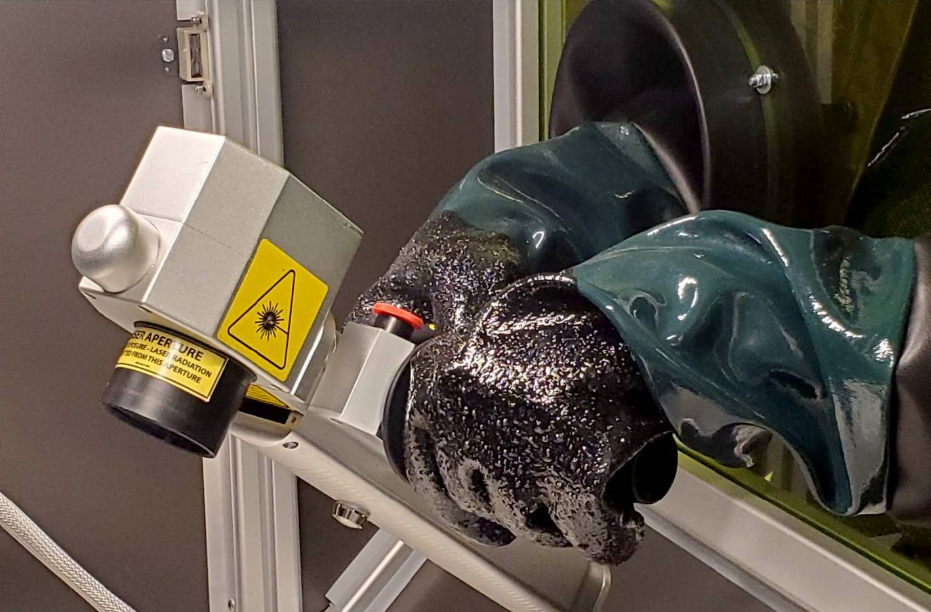
Sensors trigger the coding process by detecting products. Dirty, damaged, or misaligned sensors can cause:
- Missing codes
- Double printing
- Incorrect timing
- Printing between products
- Message synchronization errors
Sensors should be cleaned and aligned regularly. Reflective packaging, transparent products, and changing package sizes may require sensor adjustment.
Check Encoders
Encoders measure conveyor or product movement and help maintain print accuracy. Problems with encoders can cause:
- Stretched codes
- Compressed codes
- Misplaced print
- Inconsistent barcode dimensions
Maintenance should include inspecting:
- Encoder wheels
- Mounting pressure
- Shaft alignment
- Cable connections
- Wheel wear
- Product contact
An encoder wheel that slips may create serious code quality problems.
Maintain Vision Inspection Systems
Code verification equipment is a key part of modern CPG marking operations. Vision system maintenance should include:
- Cleaning camera lenses
- Cleaning lighting components
- Checking camera alignment
- Inspecting mounts
- Verifying focus
- Testing reject devices
- Reviewing inspection settings
- Confirming software communication
Dirty lenses or poor lighting can cause false rejects.
A vision system should be tested periodically using known good and known bad samples.
Monitor Barcode Quality Trends
Barcode grades can reveal developing maintenance issues. A gradual decline in verification performance may indicate:
- Printhead wear
- Ink spread
- Dirty optics
- Product vibration
- Incorrect print distance
- Ribbon problems
- Packaging changes
Manufacturers should track barcode quality over time rather than waiting for codes to fail. Trend data can support condition-based maintenance.
Review Error and Alarm History
Modern marking systems often record:
- Fault codes
- Warnings
- Shutdowns
- Communication errors
- Consumable alerts
- Temperature alarms
- Printhead faults
Maintenance teams should review this history regularly. Repeated warnings may indicate a developing problem even when the equipment continues operating. Addressing patterns early can prevent larger failures.
Keep Software and Firmware Current
Coding and marking systems increasingly depend on software. Updates may improve:
- Reliability
- Security
- Communication
- Diagnostics
- Compatibility
- User interface performance
Before installing updates, manufacturers should:
- Review release notes
- Confirm compatibility
- Back up configurations
- Plan downtime
- Test critical functions
Uncontrolled updates can create production risk, so software changes should follow formal procedures.
Back Up Messages and Configurations
A system failure becomes more disruptive when approved messages and settings are lost. Manufacturers should back up:
- Product recipes
- Label templates
- Barcode formats
- Printer settings
- User permissions
- Network configurations
- Inspection programs
Backups should be:
- Current
- Secure
- Tested
- Accessible
- Documented
Recovery procedures should be practiced before an emergency occurs.
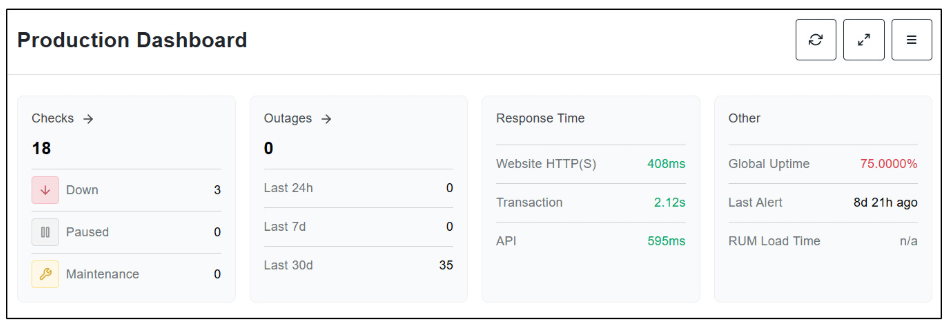
Coding systems may rely on connections to:
- ERP systems
- MES platforms
- Product databases
- Serialization software
- Vision systems
- PLCs
- HMIs
Communication problems can stop coding even when the printer itself is functioning correctly. Maintenance should include:
- Network health checks
- Cable inspection
- IP address documentation
- Switch monitoring
- Interface testing
- Server availability checks
IT and operations teams should coordinate support responsibilities.
Control the Production Environment
Environmental conditions can strongly affect marking system performance. Potential challenges include:
- Dust
- Humidity
- Heat
- Cold
- Condensation
- Washdown
- Grease
- Flour
- Sugar
- Chemical cleaners
Equipment should be protected using:
- Enclosures
- Air filtration
- Temperature controls
- Proper ingress protection
- Splash guards
- Strategic mounting
The maintenance schedule should reflect the severity of the environment.
Clean Around the Equipment
Good housekeeping supports equipment reliability. The area around the printer or laser should remain free from:
- Packaging scraps
- Adhesive
- Dust
- Product residue
- Standing water
- Loose labels
- Ink spills
Debris can interfere with sensors, ventilation, cables, and product movement. Cleaning procedures should protect sensitive components from water and chemicals.
Use Only Approved Replacement Parts
Generic or incompatible parts may appear less expensive but can create long-term problems. Approved parts help ensure:
- Correct fit
- Proper performance
- Equipment compatibility
- Safety
- Warranty compliance
Critical spare parts should be stocked based on:
- Failure history
- Lead time
- Production importance
- Equipment age
A missing low-cost component can cause significant downtime if it is not available when needed.
Create a Spare Parts Strategy
Manufacturers should identify which parts are essential to production continuity. Potential spare parts include:
- Printheads
- Filters
- Sensors
- Encoder wheels
- Cables
- Connectors
- Fuses
- Fans
- Applicator pads
- Ribbon drive components
- Protective windows
Inventory should be reviewed regularly. Obsolete parts should be identified before they become unavailable.
Track Consumable Usage
Unexpected changes in consumable use can indicate maintenance issues. For example:
- Increased solvent use may indicate leaks or poor system performance.
- Excessive ribbon use may indicate incorrect tension or message setup.
- Frequent cartridge replacement may indicate inefficient print configuration.
- Rapid filter loading may indicate environmental contamination.
Monitoring usage helps control costs and identify abnormal equipment behavior.
Train Operators to Recognize Early Warning Signs
Operators often notice changes before maintenance teams do. Training should help them recognize:
- Changes in print quality
- New noises
- Unusual odors
- Repeated alarms
- Slower startup
- Increased cleaning needs
- Ink leaks
- Sensor problems
- Barcode grade decline
Operators should know when to stop production, when to perform approved cleaning, and when to escalate the issue.
Avoid Over-Maintenance
Preventive maintenance should reduce risk, but excessive maintenance can create new problems. Unnecessary disassembly or aggressive cleaning can cause:
- Component damage
- Misalignment
- Contamination
- Incorrect reassembly
- Avoidable downtime
Tasks should be performed only at appropriate intervals and by trained personnel. Maintenance programs should be adjusted based on actual performance data.
Document Every Maintenance Activity
Good records improve accountability and help identify patterns. Maintenance documentation should include:
- Date
- Equipment identification
- Task performed
- Person responsible
- Parts replaced
- Consumables used
- Faults found
- Corrective actions
- Verification results
- Next service date
Digital maintenance systems can simplify scheduling and reporting. Documentation also supports audits and warranty claims.
Use Maintenance Checklists
Checklists help ensure that important tasks are not missed. Separate checklists may be created for:
- Daily operator checks
- Weekly cleaning
- Monthly inspection
- Quarterly service
- Annual preventive maintenance
- Extended shutdown
- Restart after shutdown
Checklists should be specific to each marking technology.
Measure Maintenance Performance
Manufacturers should monitor whether the preventive maintenance program is improving results. Useful metrics include:
- Equipment uptime
- Coding-related downtime
- Mean time between failures
- Mean time to repair
- Reject rate
- Rework volume
- Barcode grade
- Emergency service calls
- Maintenance cost
- Consumable usage
These metrics help identify which maintenance activities provide value.
Investigate Repeat Failures
Repeated failures should not be treated as isolated events. Root-cause analysis may reveal:
- Incorrect equipment selection
- Environmental problems
- Poor mounting
- Inadequate training
- Wrong consumables
- Packaging variation
- Software issues
- Deferred maintenance
Correcting the root cause is more effective than repeatedly repairing the symptom.
Coordinate Maintenance With Production Planning
Preventive maintenance is easier to manage when planned with production. Teams should schedule service during:
- Product changeovers
- Sanitation windows
- Planned shutdowns
- Low-volume periods
- Facility maintenance days
Coordination reduces production impact and ensures technicians have sufficient time to perform work correctly.
Conduct Periodic System Audits
A formal audit can evaluate the overall condition of coding and marking operations. The audit may review:
- Equipment health
- Maintenance records
- Code quality
- Spare parts
- Software versions
- Operator training
- Environmental conditions
- Safety systems
- Network integration
Audits help manufacturers identify risks that may not be visible during daily operations.
Know When to Upgrade Equipment
Preventive maintenance can extend equipment life, but it cannot solve every problem. Older systems may become increasingly difficult to support due to:
- Obsolete parts
- Limited software compatibility
- Frequent failures
- Higher consumable use
- Poor code quality
- Inadequate resolution
- Limited data integration
Manufacturers should compare the cost of continued repair with the benefits of upgrading. Newer systems may offer:
- Automated cleaning
- Remote diagnostics
- Better efficiency
- Improved code quality
- Lower maintenance
- Enhanced connectivity
- Predictive alerts
Build a Preventive Maintenance Culture
The strongest maintenance programs are supported by the entire organization. Operators, maintenance teams, quality personnel, engineers, and production leaders should all understand that coding equipment is critical to line performance. A preventive maintenance culture emphasizes:
- Early problem reporting
- Proper equipment care
- Accurate documentation
- Continuous training
- Cross-functional communication
- Ongoing improvement
When maintenance is viewed as part of production excellence, rather than an interruption to production, reliability improves.
Preventive Maintenance Checklist for CPG Marking Systems
A practical checklist may include:
Daily
- Inspect print or mark quality
- Check consumable levels
- Review alarms
- Inspect cables and mounts
- Clean accessible surfaces
- Verify sensors
- Confirm code accuracy
Weekly
- Clean printheads or optics
- Inspect filters
- Check encoder condition
- Review reject rates
- Inspect fluid systems
- Confirm camera alignment
Monthly
- Inspect cables and connectors
- Review maintenance history
- Test backup procedures
- Inspect ventilation
- Verify mounting hardware
- Review barcode quality trends
Quarterly
- Replace scheduled filters
- Inspect internal components
- Test safety systems
- Review software status
- Verify network communication
- Audit spare parts
Annually
- Conduct full system service
- Review equipment lifecycle
- Update maintenance procedures
- Refresh operator training
- Evaluate replacement needs
- Review service agreements
Maintenance frequency should always be adjusted to the specific equipment and operating environment.
Conclusion
Effective preventive maintenance for CPG marking systems is essential for maintaining production uptime, code quality, traceability, and compliance.
Manufacturers should not wait for a printer, laser, labeler, or vision system to fail before taking action.
Routine cleaning, inspection, calibration, consumable management, operator training, software maintenance, and performance monitoring can prevent many common problems.
A well-designed maintenance program helps:
- Reduce unplanned downtime
- Improve print and mark quality
- Extend equipment life
- Lower operating costs
- Protect production schedules
- Strengthen traceability
- Support retailer and regulatory requirements
The most successful programs combine manufacturer recommendations with production data, documented procedures, clear accountability, and continuous improvement.
Contact REA JET to learn how advanced coding, marking, inspection, service, and support solutions can help improve equipment reliability and maximize uptime across your CPG packaging operations.
 Or call 440-232-0555
Featured Coding & Marking Technologies View all
Most-requested coding & marking systems.
- 01 Large Character Inkjet Printers (DOD) Direct-to-product marking for cases, pallets, lumber, building materials and other porous surfaces
- 02 High-Resolution Inkjet Printers Print sharp text, logos, barcodes and 2D codes directly on products and packaging
- 03 Laser Systems Permanent, maintenance-free marking for traceability, compliance and product identification
- 04 Barcode Verification Systems Verify barcode quality and readability to meet retailer, GS1 and customer requirements
- 05 Small Character Inkjet Print date, lot, batch and traceability codes for production lines and packaging
- 06 Spray Mark Technology Reliable product identification and defect marking for manufacturing and industrial processes